Step 1:
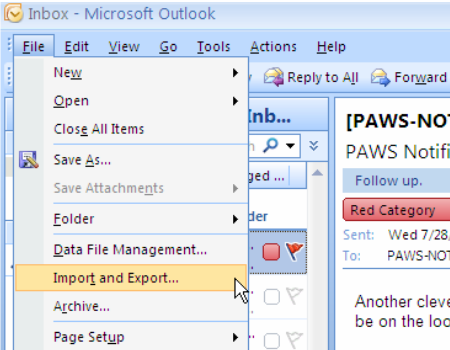
From the ‘File’ menu, select ‘Import and Export.’
Step 2:
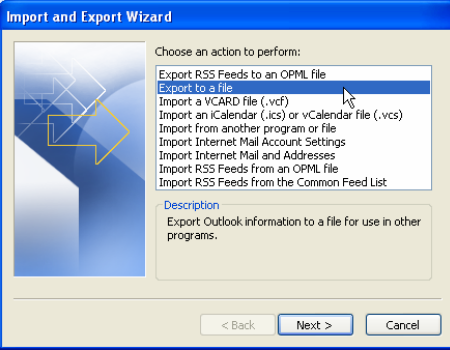
Select ‘Export to a File’ and then click ‘Next.’
Step 3:
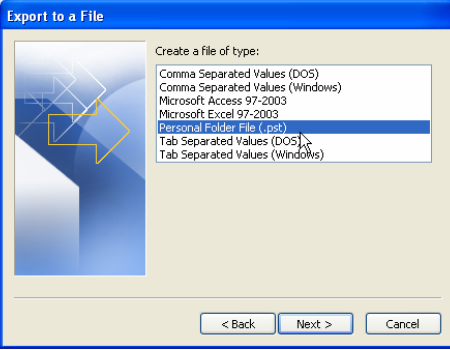
Select ‘Personal Folder File (.pst)’ and click ‘Next.’
Step 4:
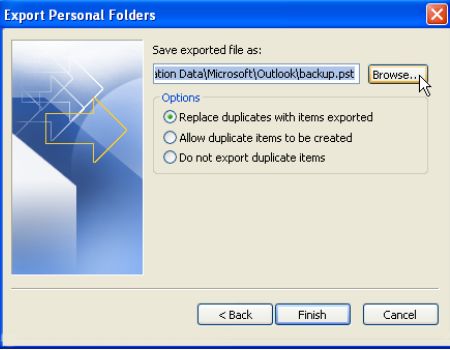
Select ‘Browse’ to name and place your export file.
Select ‘Replace duplicates with items exported’ and click ‘Finish’
Wait for all data to return. This may take time.